Web images: 6 - choosing the appropriate file format
When to use the different file formats - GIF or JPEG or PNG?
Of the 'traditional' formats:
- GIF is best for any images with many areas of flat colour or straight edges - this usually means line art (text, logos, diagrams etc) or screen shots, but some photos without graduated tones may also qualify.
- JPEG is best for continuous tone images - usually photos, or photorealistic art, or logos with complex graduated fills for example.
What do I mean when I say best? Well, image file size is an important consideration in the time taken to display a web page. GIF and JPEG compression work in different ways, and the same image will generally make a smaller file in one format than another. For example:
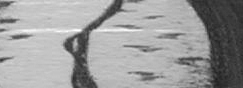
greyscale photo in GIF format |
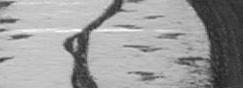
greyscale photo in JPEG format |

line art in GIF format |

line art in JPEG format |
Secondly, the appearance of the image is important. The different methods of compression used in GIFs and JPEGs mean that certain types of image do not look well in one format or the other.
- Most photos saved as GIFs tend to look spotty or patchy, especially if you choose the wrong palette:
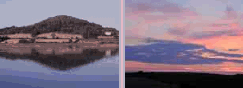
 Pink palette (right) applied to two different images. The main effect is a pinkish cast to the blue (reflections) photo - but look at the banding in the water.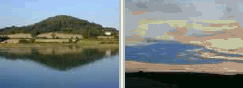
 Blue palette (right) applied to the same two images. The right-hand photo (pink sky) looks particularly bad with this palette.
 - Flat colour or line art saved as a JPEG can show annoying artefacts - colour variation caused by the compression method, for example:

Text saved as two-colour GIF file
file size 996 bytes
Text saved as JPEG file
file size 4,581 bytes
What about PNG?
PNG, the new kid on the block, allows both flat and photographic images to look good. Line art generally comes out at a smaller file size than the equivalent GIF (and can use more than 256 colours if required for appearance); full-colour and greyscale photos are slightly larger than their JPEG equivalents. Since it allows both interlacing and transparency of a much more sophisticated kind (2-D interlacing and alpha transparency respectively), it is really the best all-round format, and I imagine it will eventually supplant GIFs, and probably JPEGs too, except for high-resolution photographs. However, it's true to say that the majority of web sites still use the older formats: I'm guilty of this myself!
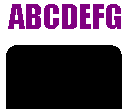
Line art as PNG, with transparent background; |
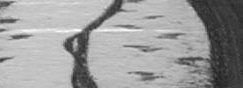
greyscale photo in PNG format |
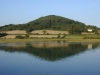
PNG photo in true colour; |

PNG photo with 256-colour optimised palette; |
To find out more about this format and where it is supported, visit the  PNG home page.